2016 – 202610-Year Anniversary Sale
10 Years of PiXimperfect
A decade of teaching Photoshop, and the best of it lives inside PiXimperfectPro To celebrate, it is half price.
14-day money-back guaranteeTry it. If it is not for you, you get every penny back.
- Instant access
- Secure checkout by Stripe
- From start to finish
Discover the right way to master Photoshop, in order.
- No more memorizing steps
Master every concept and create your own workflow.
- 130+ lessons, 200+ projects
In the order that actually makes sense.
- Exclusive masterclasses
Not on YouTube. The YouTube videos are in there too, ad-free.
Featured by and worked with











Why PiXimperfect Pro
You do not need another tutorial. You need a system.
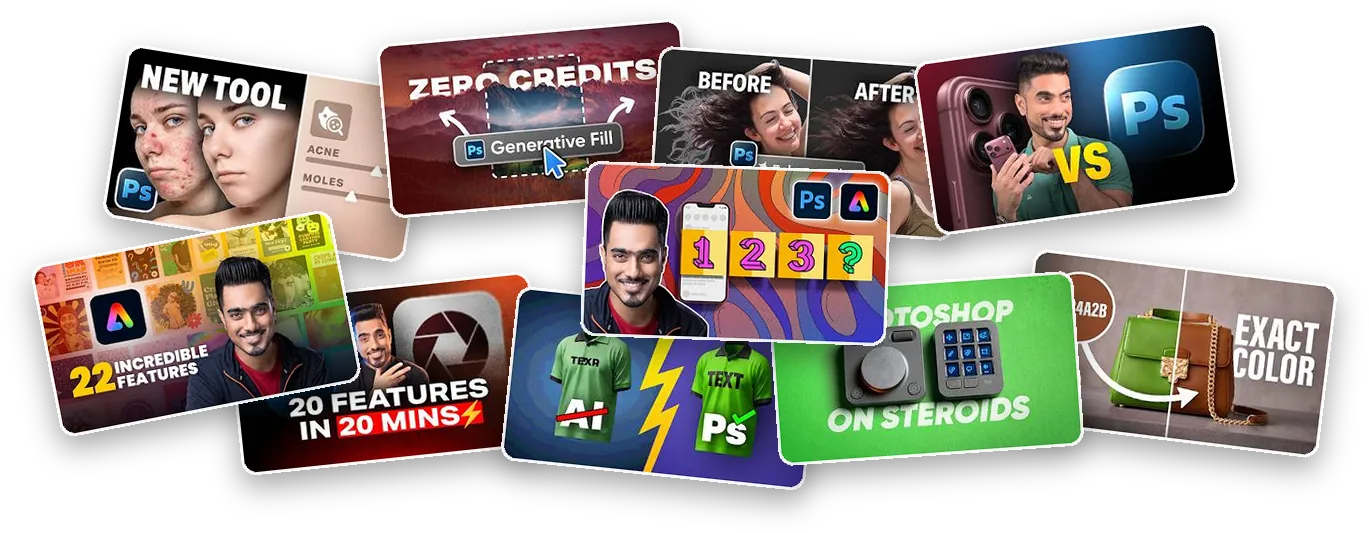
YouTube is full of Photoshop tutorials, and more than a thousand of them are mine. Each one solves one problem. Then you are on your own again, with no idea what to learn next. PiXimperfect Pro is ten years of teaching millions of people, rebuilt as one path, in the right order, so Photoshop finally clicks.
One trick at a time
- A new topic every video, in no particular order
- You copy the steps, and they fall apart on your own photo
- Practice files only now and then
- Questions get lost under thousands of comments
- Ads, and the next video pulling you away
- Jumpstart
- Color
- Retouching
- Compositing
The whole system, in order
- One path, start to finish. From your first layer to retouching and composites. You always know what comes next.
- The why, not just the steps. You understand each tool, so you can build your own workflow.
- You practice on the same files. 300+ practice files, PSDs and actions.
- You ask, you get an answer. Every lesson has its own Q&A.
- No ads, no noise. Just the lessons, always updated for new Photoshop versions.
That is what ten years of teaching built. For ten days, it is half price.
See the anniversary offerWhat is inside
One path, from your first layer to finished work
Four core courses, in the order that makes each one easier than the last. Every lesson comes with its practice files, so you do the edit yourself.
-

Photoshop Jumpstart
58 lessonsThe foundation. The workspace, layers, masks, selections and the tools you will use every day, from zero.
-

Adjustments and Color Grading
17 lessonsCurves, color correction and grading. You learn to shape light and color on purpose.
-

Retouching, Start to Finish
23 lessonsSkin, eyes and hair, then dodge and burn and frequency separation, the way professionals do it.
-

Compositing, Start to Finish
12 lessonsClean masks, matched light and color, and shadows that make two photos look like one.
Then go deeper
 Camera Raw Essentials11 lessonsEditing and masking your raw files.
 AI for Photo Editing8 lessonsThe AI tools worth using.
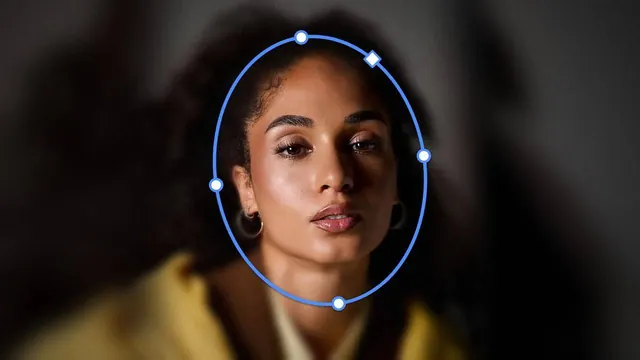 Master Photoshop FiltersNew in 2026One filter at a time, and growing.
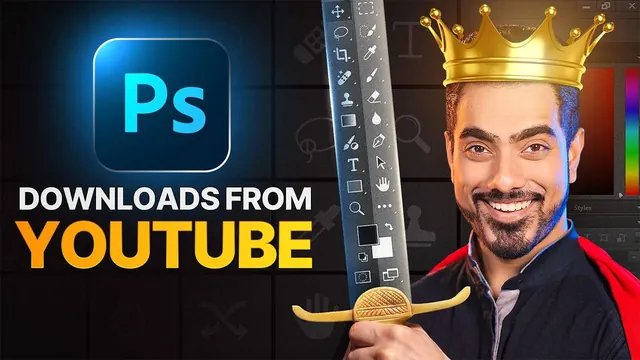 Ad-free YouTube librarySince Dec 1, 2024Every video, with its files.
130+ lessons and 300+ practice files today, with new lessons added every month. Open any course below to see every module and lesson.
Photoshop Jumpstart: Basics to Brilliance58 lessons
- Module 1: Exploring Photoshop Land (7 lessons)
- Module 2: The OCS of Photoshop (4 lessons)
- Module 3: Important Tools (15 lessons)
- Module 4: Transformation (6 lessons)
- Module 5: Layers (7 lessons)
- Module 6: Layer Masks (8 lessons)
- Module 7: Master Selections (11 lessons)
Adjustments and Color Grading17 lessons
- Understanding Adjustments and Adjustment Layers
- Mastering Curves
- What About Levels
- Understanding Hue and Saturation
- Amazing World of LUTs
- Selective Color for Pop
- Deep Dive on Gradient Maps
- Unique Black and White Trick
- Fill Layers (3 lessons)
- Color Grading Project
- Advanced Color Correction (3 lessons)
- New: the Color and Vibrance adjustment layer
- New: the Grain adjustment layer
Retouching from Start to Finish23 lessons
- Removing Blemishes
- Removing Eye Bags and Dark Circles
- Skin Softening and Frequency Separation
- Using AI for Retouching
- Mastering Skin Tones (4 lessons)
- Whiten Teeth
- Master Retouching Eyes (2 lessons)
- Hair Retouching Series (3 lessons)
- High-End Dodge and Burn (5 lessons)
- Advanced Sharpening
- Photoshop Actions: Quick Skin Retouching
- Photoshop Actions: Eye Detail Brushes
Compositing from Start to Finish12 lessons
- Intro to Compositing
- Extracting Shadows
- Create Smooth Masks
- Techniques to Blend Subject with Background
- Expand Backdrop
- Compositing Text with Advanced Shadows (2 lessons)
- Advanced Color Matching (2 lessons)
- Compositing Projects, simple to complex (3 lessons)
Camera Raw Essentials11 lessons
- Fun Features to Kickstart Your Journey
- Three Ways to Access Camera Raw + Three Projects
- Figure Out Navigation
- Understanding Sections
- Crop, Rotate, and Geometry
- Remove Anything
- The Amazing Edit Section
- Magic of Masking
- Take a Snapshot
- Use and Create Presets
AI for Photo Editing and Photographers8 lessons
- Introduction
- Changing Outfits
- Expand Image in High-Res
- AI for Frequency Separation
- Change Background in High-Res
- Recover Blown Out Details
- Photo Restoration
- Turn Photos to Paintings
Master Photoshop FiltersNew in 2026
- Blur Gallery: Iris Blur, soft focus and a vintage poster
- Blur Gallery: Tilt-Shift, background blur in multiple planes
- Blur Gallery: Field Blur, shallow depth of field in a composite
- One module per filter, with more on the way
Straight from the lessons
What you will be able to do
Every one of these is a real lesson inside Pro, with the same files to practice on.
 CompositingPut text behind a subject, with shadows that hold it in place
 AI for Photo EditingRemove people, wires and distractions without a trace
 Adjustments and Color GradingMatch a subject to any background with one simple Curve
 RetouchingHigh-end dodge and burn, in a five-part masterclass
 CompositingMatch color between two photos, and know which adjustment to use
 RetouchingEven out the skin and keep every bit of its texture
 AI for Photo EditingTurn a photo into a painting, in any style you like
 Photoshop JumpstartBuild a double exposure with layer masks and blend modes
Swipe to see more
From the people who do this for a living
What creatives say about PiXimperfect
-
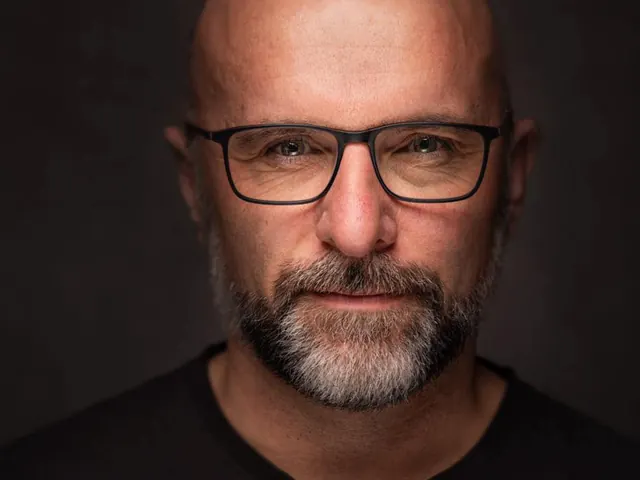
Glyn DewisPhotographer, Educator, Best-Selling Author
It’s no surprise to me that Unmesh has created such a large following. Not only does he have what I can only describe as a Photoshop-Brain that enables him to approach it in ways that many others wouldn’t consider, but he’s also able to show and explain what he does in a fun and engaging way that not only educates but also encourages the ‘student' to have a go, experiment and push their creativity.
-

Hannah NicolletPhotoshop Quality Engineer @Adobe
I highly recommend Unmesh Dinda for anyone looking to master Photoshop. Unmesh's teaching style is both quick and clear, making complex concepts accessible to everyone. His deep understanding of Photoshop, combined with his ability to break down a wide range of topics into easy-to-follow steps, is truly remarkable. Whether you're a beginner or an experienced user, you'll find his tutorials packed with valuable insights and tips that can elevate your Photoshop skills to the next level.
-

Lindsay AdlerWorld-Renowned Fashion Photographer
Whenever photographers ask me for advice on learning Photoshop tips and tricks, without hesitation I point them to PiXimperfect. Regardless of skill or knowledge level, there are countless easy-to-understand tips that Unmesh has put together-- honestly the range is incredible!
-

Peggy RogersonFine Art Photographer
Unmesh is my Photoshop superhero! His lessons are concise, easy to follow, and he has a clear way of sharing all he knows, making everything crystal clear. Whenever I get stuck or want to learn more, Unmesh is my 'go-to'—and he has the answer every single time.
-
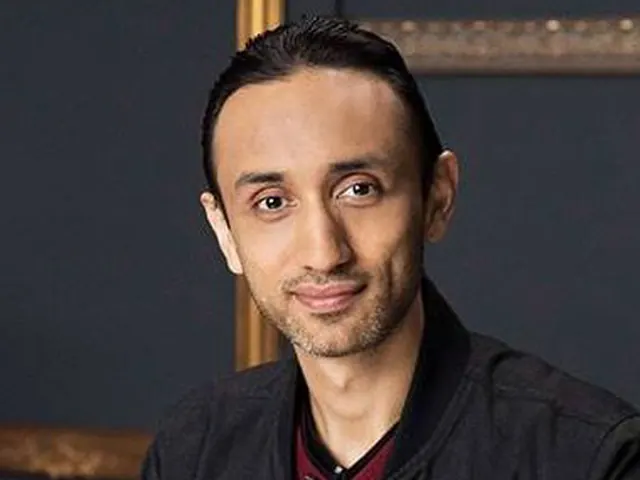
Pratik NaikHigh-End Commercial Retoucher @Vogue @ELLE
Unmesh Dinda is not just an extraordinary educator in the world of Photoshop; he is, without a doubt, one of the best at communicating complex concepts in a way that makes them accessible to everyone, no matter the experience level! His ability to break down intricate details into easily understandable lessons is an art in itself. I’ve learned so much from him, not just technically but also in the way he inspires me to push my own creative boundaries. After years in this industry, that is so refreshing to see! What truly sets Unmesh apart is the level of detail he pours into every video. His tone of voice is incredibly easy to listen to, making even the most challenging topics feel approachable. Beyond his online presence, Unmesh is just as genuine in real life as he projects online— take it from me, he is the real deal! I don’t know anyone who comes close to his skillset in education. If you’re looking to truly understand and master Photoshop, or any complex subject for that matter, Unmesh is the one to learn from!
-

Teresa AuHead of Advocacy @Adobe & Executive Coach
Unmesh Dinda is that rare combination of a creative powerhouse and a truly gifted teacher. Despite his incredible success with over 6 million followers, Unmesh remains deeply grounded and humble, personally engaging with his audience, and aspiring to connect with as many fans as he can. Having him on my Adobe podcast, ‘In the Making,’ revealed the authenticity, passion, and humor behind his polished exterior. He inspires and empowers countless creators, and his dedication to helping others unlock their creative potential is nothing short of remarkable.
-
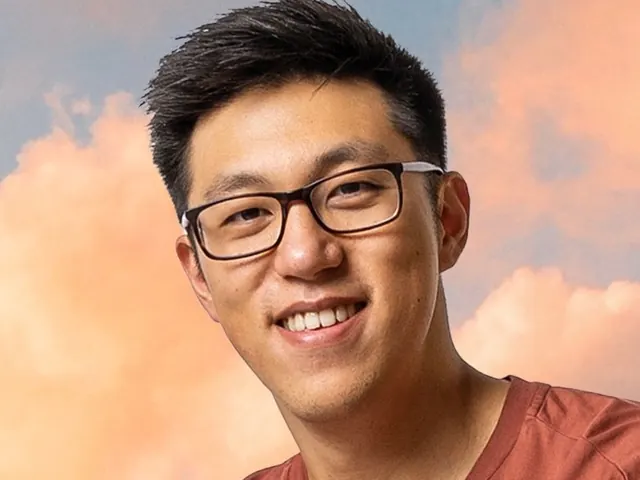
Ted ChinPhotoshop '21 Cover Artist
Unmesh is incredibly knowledgeable and has a deep understanding of Photoshop and all its tools! I highly recommend PiXimperfect to anyone who asks where to learn photo composites and Photoshop editing. I regularly watch his channel for updates on new tools and to learn new editing tricks!
-
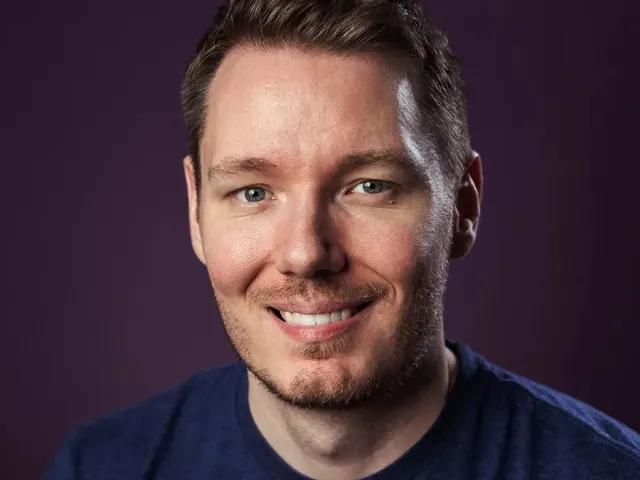
Gerald UndoneTech Educator & YouTube Creator
He's easily one of my favourite creators and certainly one of YouTube's most valuable. PiXimperfect is an extraordinary YouTube channel hosted by the inspiring and multi-talented Unmesh. Not only is the channel a delight to watch because of the terrific production quality and even more terrific tutorials, but Unmesh himself is a joy to collaborate with.
Swipe to read more
Read 14 more
-
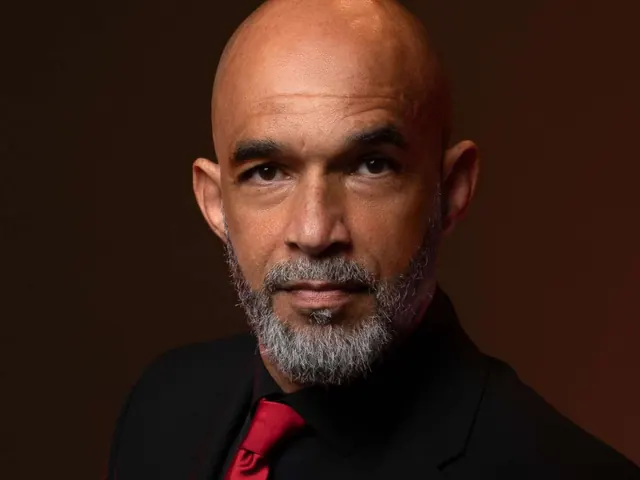
Kenny RichardCertified Professional Photographer
Photoshop is not for the weak or faint of heart…BUT, Unmesh makes the entire process next level EASY! His methodical process, wit and humor, and simplified explanations makes the Adobe suite fun, manageable and provides peace of mind knowing that we can create freely and effortlessly with photoshop tools.
-

Linta NaveedGraphic Designer
PiXimperfect made learning Photoshop much easier for me. The tutorials break things down in a way that's easy to follow, making complex stuff feel doable. It's been a solid part of my learning process.
-
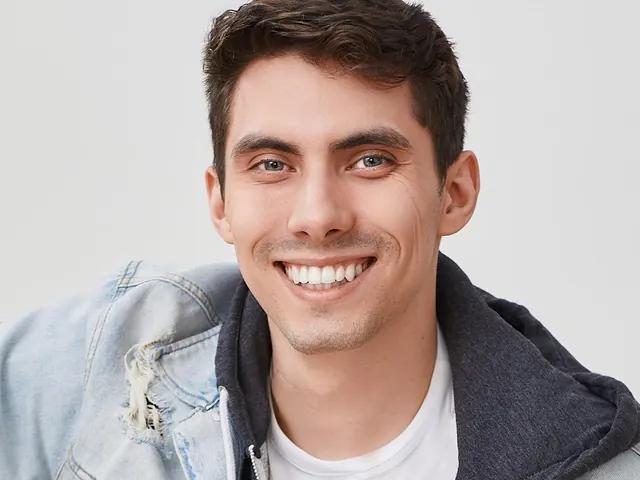
Daniel LivingstoneFitness Photographer
PiXimperfect has been the gateway into a successful experience with Photoshop for me along with thousands of others. These videos have helped me at every stage of my journey from beginner to even expert.
-

Kimberly RichardsonGraphic Designer, Photographer, Educator
I’m a seasoned photoshop (CC Suite) user, but Unmesh always has something useful, fun and creative to teach me. I greatly appreciate his teaching style which is always clear, detailed but concise. He is an essential resource to follow/support!
-

Stephen UnderwoodGraphic Designer
PiXimperfect is the perfect place to grow your skills from 0-100, all of Unmesh’s videos have helped me go from low to pro!
-

Sangah NoonaProfessional Pianist & Musician
I always check them first. I know they are always super helpful and to the point. I also learn a lot about cool features that I didn’t know how to use correctly! Thank you for all the help!
-
Jaydatta NikaljeProduct Manager & Marketer
PiXimperfect has always been my Photoshop Bible to go back to for everything I know. Simple. Crisp. Entertaining!
-

Pragnesh PrajapatiCelebrity Retoucher
I am following Unmesh since beginning of his journey in Youtube. What has not changed is quality of his content and energy. I can say proudly that his tutorials has helped a lot in my initial journey in learning photoshop. Right now I am working for celebrities (Bollywood) and I still watch Unmesh's videos regularly and learn from him. He is one of the best tutor who can explain photoshop (or may be anything) so easily and now the scenario is wherever we are stuck in the photoshop and unmesh is there with the solution. Thank you word wouldn't be enough for his loyal and passionate dedication to his teaching. We are just grateful having him around. Lots of love.
-

Prabhjeet SinghPhotographer
I lost my home, and I was working in a cyber cafe. Thanks to PiXimperfect, through his tutorials and guidance, I was able to get a job. Today, I have built my home, and it feels so good. It seems like just yesterday I started watching his videos when he had 400k subscribers. Back then, I was 12 years old. It was quite good for me, even though I didn’t know that level of English, but his explanations were so clear that I could understand everything.
-

Shubhankhi AcharjeeGraphic Designer / Video Editor
PiXimperfect has been a life saviour for me. Any time I face any creative emergency I head on to your channel for that quick fix video where you've explained things that are very easy to understand. Hats of to you man! For giving such in depth knowledge. Your channel is nothing less than a treasure.
-
Aditya VermaPhotoshop Artist
I’m at a loss for words to express my gratitude to Piximperfect and Unmesh. Five years ago, this YouTube channel sparked my journey into Photoshop and graphic design. Today, I'm a full-time graphic designer, even without a formal design degree. Piximperfect has always been my go-to resource whenever I need to refresh my Photoshop skills. Thank you so much!
-

Harry R.Photographer
PiXimperfect has been my go-to source for inspiration and tutorials for quite a while. I honestly don't think I would be as far along with Photoshop without it.
-

Jarno S.Fashion Photographer
PiXimperfect is great way to learn Photoshop. Tutorials are easy to follow and understand. It's easy to find right tutorials. Your teaching style suit For beginners and professionals. Your curve tips are awesome and helped me a lot to understand how pixels warks. I really hope you do these tutorials for us more and many years. Thank you Sir. Best regards. Your biggest Fan.
-

Anish DuttaPhotographer
I started learning Photoshop by watching Guruji's videos (PiXimperfect by Unmesh Dinda), and it has been a transformative experience. The way he explains every detail makes learning new aspects of Photoshop easy and enjoyable. His tutorials have truly made him my Photoshop guru. And he is inspiration of Keep Creating.
2016 – 2026
Ten years, in numbers
- 10years of teaching Photoshop
- 5.4M+YouTube subscribers
- 675M+views on the tutorials
- 1,100+free tutorials published
- 7,600+students inside PiXimperfect Pro
A note from Unmesh
It started with a $200 laptop
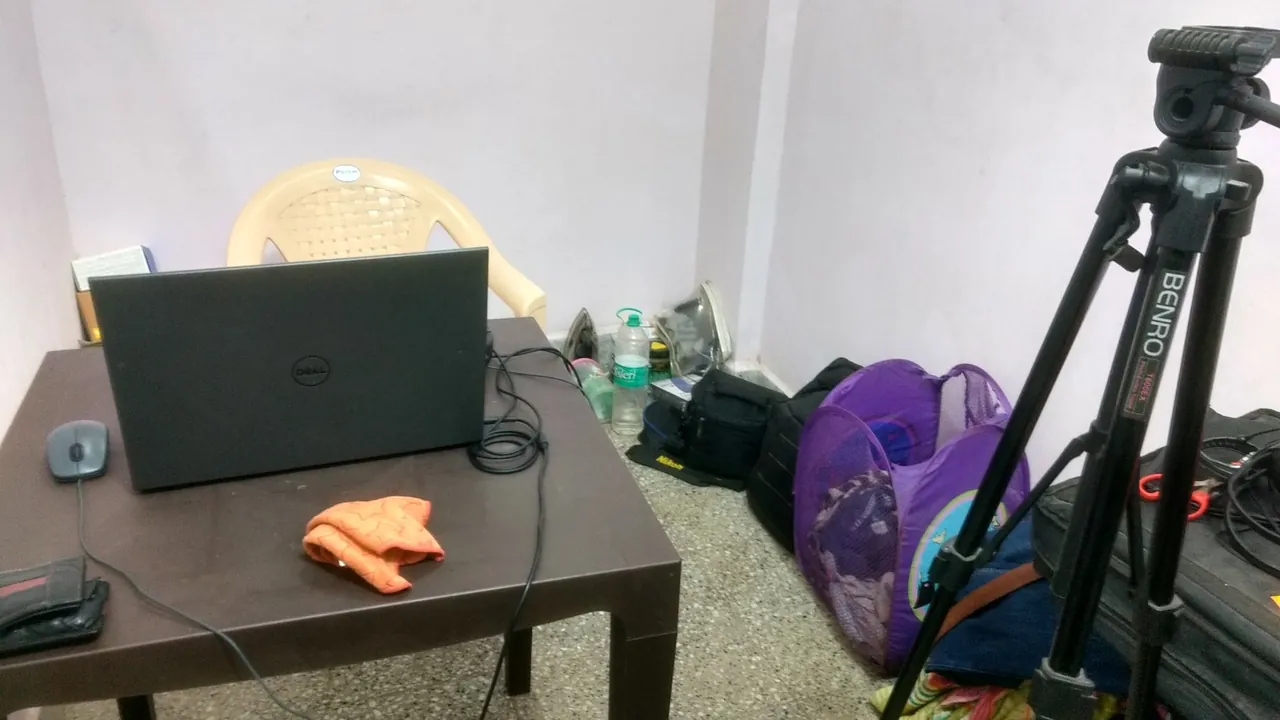
In 2016 I was in college in Mumbai, in a room so small that if I lay down, my feet touched the opposite wall. I had a plastic table, a $200 laptop and a 2 megapixel webcam. The laptop froze, the audio was bad, and so was my English.
I uploaded anyway.
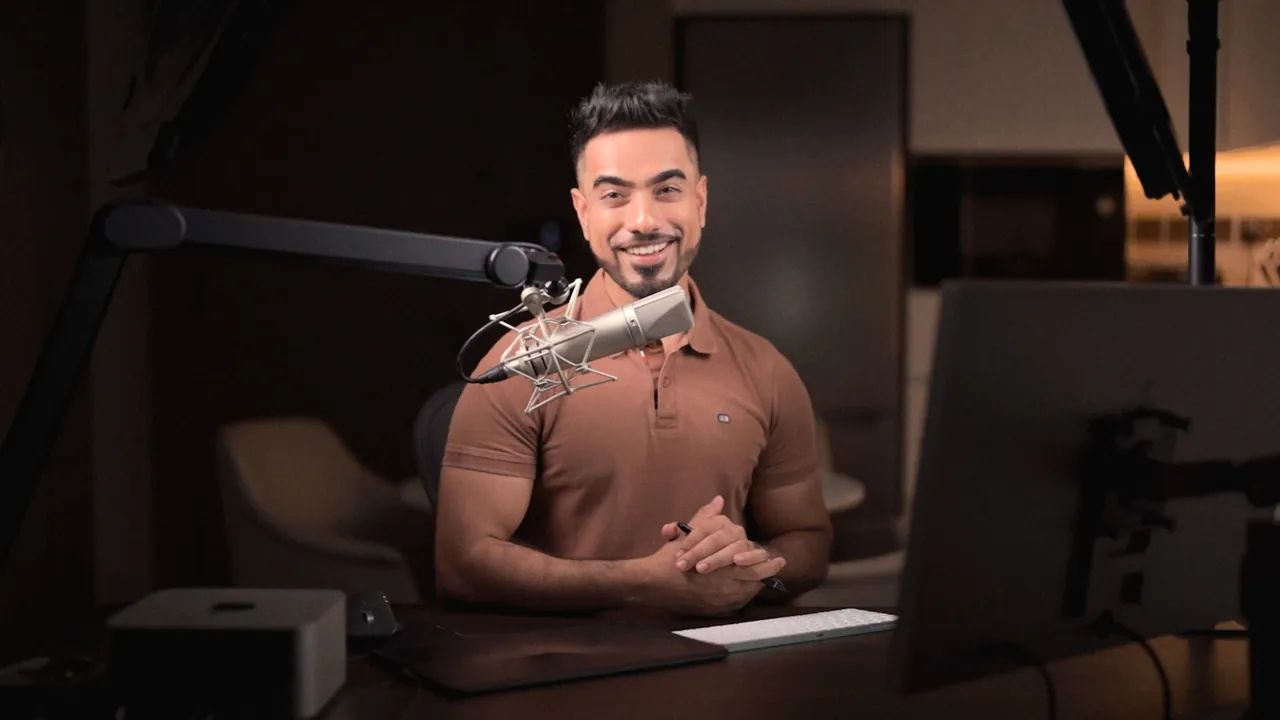
Ten years later that habit has become more than 1,100 tutorials, 675 million views, and stages I never imagined standing on. None of it came from chasing. Every door opened because someone saw the teaching.
PiXimperfect Pro is where that teaching lives in order, from your first layer to a finished composite. This sale is my thank you for ten years of watching, asking and learning with me.
Unmesh DindaFounder, PiXimperfect
10-Year Anniversary Pricing
Pick your plan
Half price is the most we ever take off Lifetime. It is here for ten days, then it is gone.
Monthly
Start with the foundations
$29/m
Billed monthly. Cancel anytime.
No anniversary discount
- The complete Foundational Photoshop course
- 40+ essential lessons, start to finish
- 50+ practice files to follow along
- Always updated for new Photoshop versions
Want every course? Annual and Lifetime open the full library, and both are on sale.
Cancel anytime from your profile.
Annual
The full library, one year at a time
$17/m
Billed as $204 for the year $348
40% off You save $144
- Everything in Monthly, plus:
- Every course, 130+ lessons and growing
- New lessons added every month
- 300+ downloads: practice files, PSDs, actions and more
- Ad-free YouTube videos from Dec 1, 2024 on, with their files
- Pro Community at 50% off (optional)
- 7-day money-back guarantee
Save $144 on your year.
Lifetime
Pay once. Learn forever.
$399
One payment. No renewals, ever.
50% off You save $400
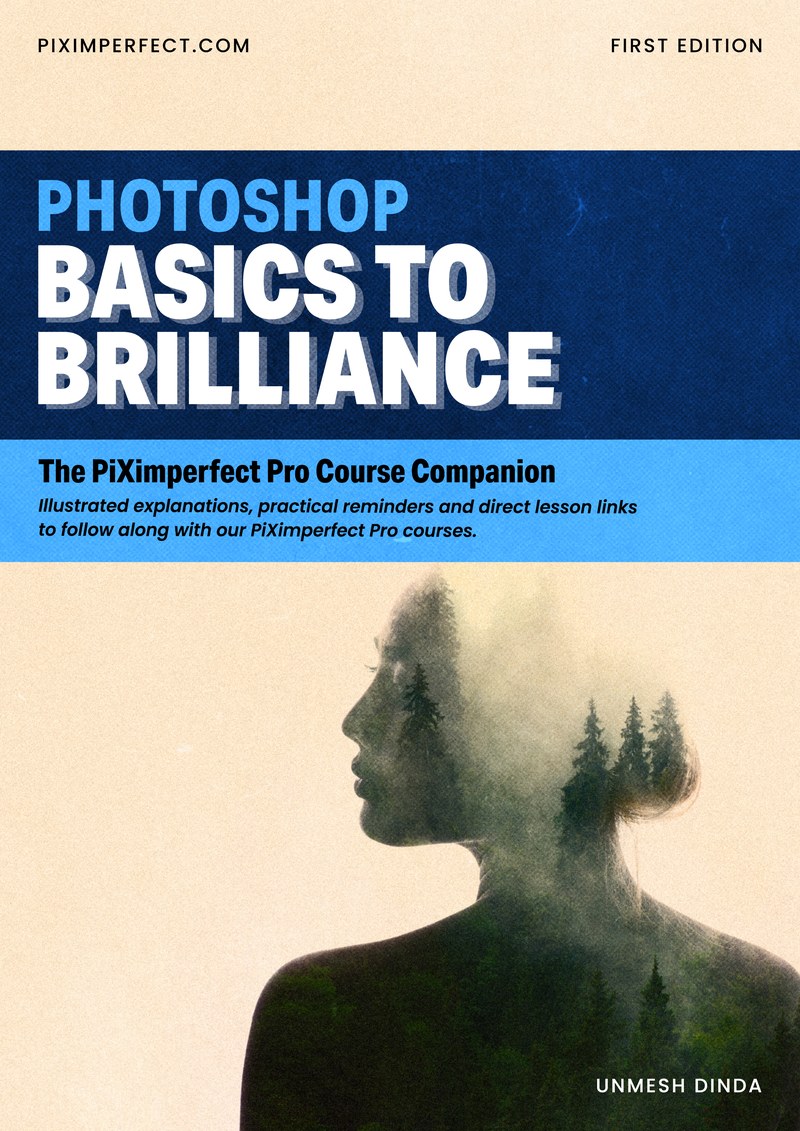
Included freePhotoshop: Basics to Brilliance, the new 104-page course companion. $49 value.
- Every course, 130+ lessons and growing
- Every future lesson and course, free, forever
- 300+ downloads: practice files, PSDs, actions and more
- Ad-free YouTube videos from Dec 1, 2024 on, with their files
- Pro Community at 80% off (optional)
- 14-day money-back guarantee
Less than two years of Annual, even at the sale price.
Anniversary pricing ends Thursday, October 1After that, both plans go back to their regular price.
- Secure card checkout by Stripe
- Instant access after payment
- Money-back guarantee
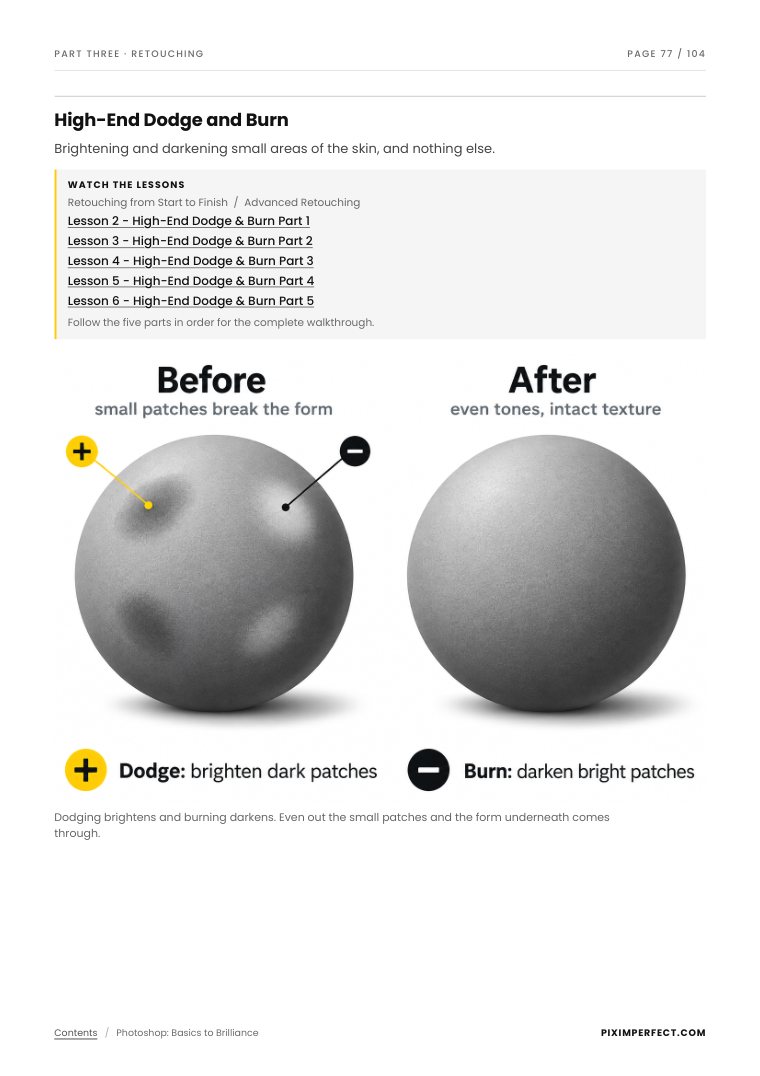
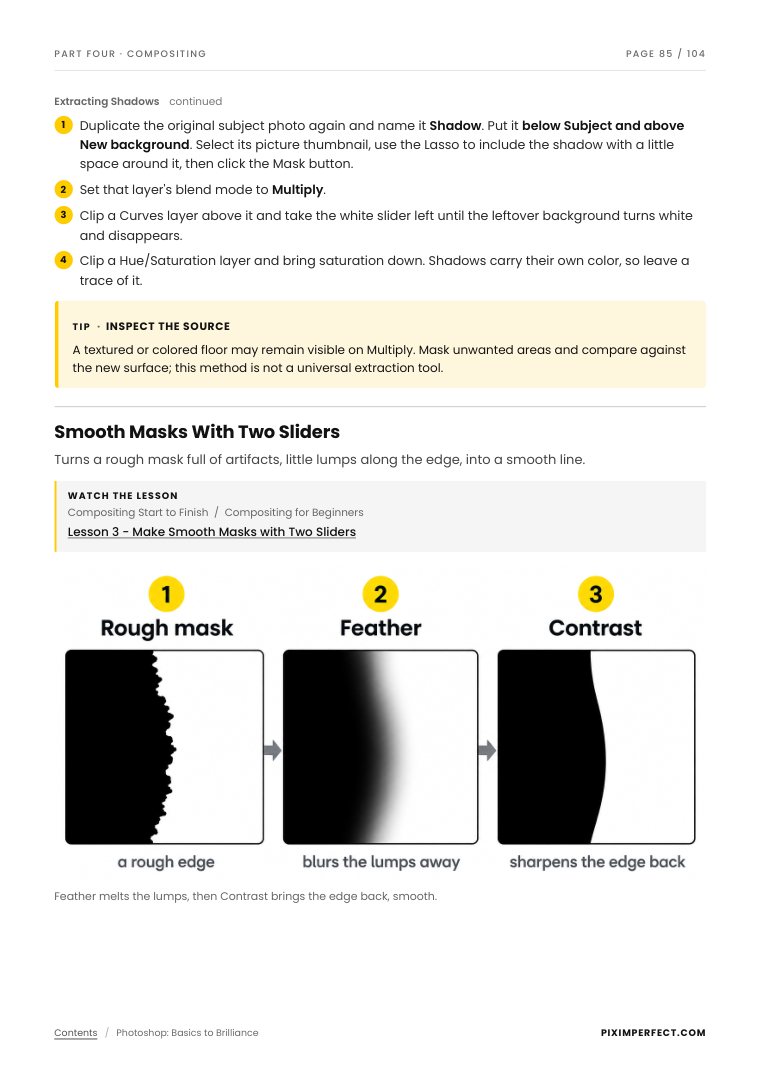
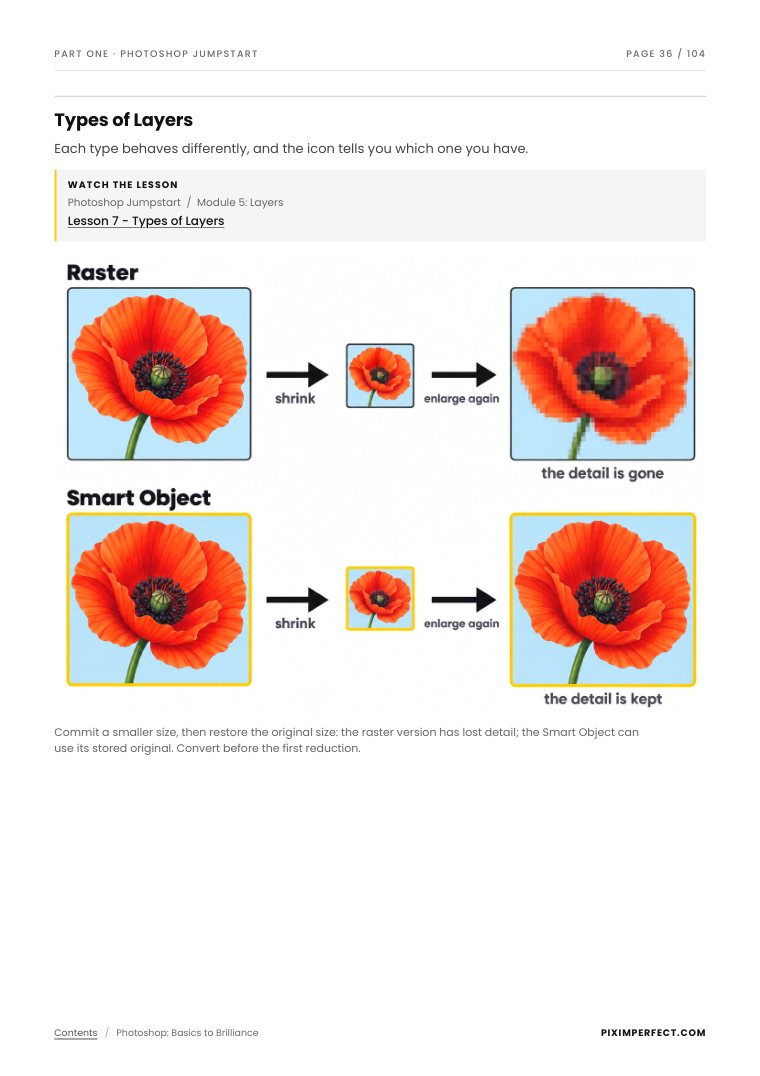
Your lessons, on the page
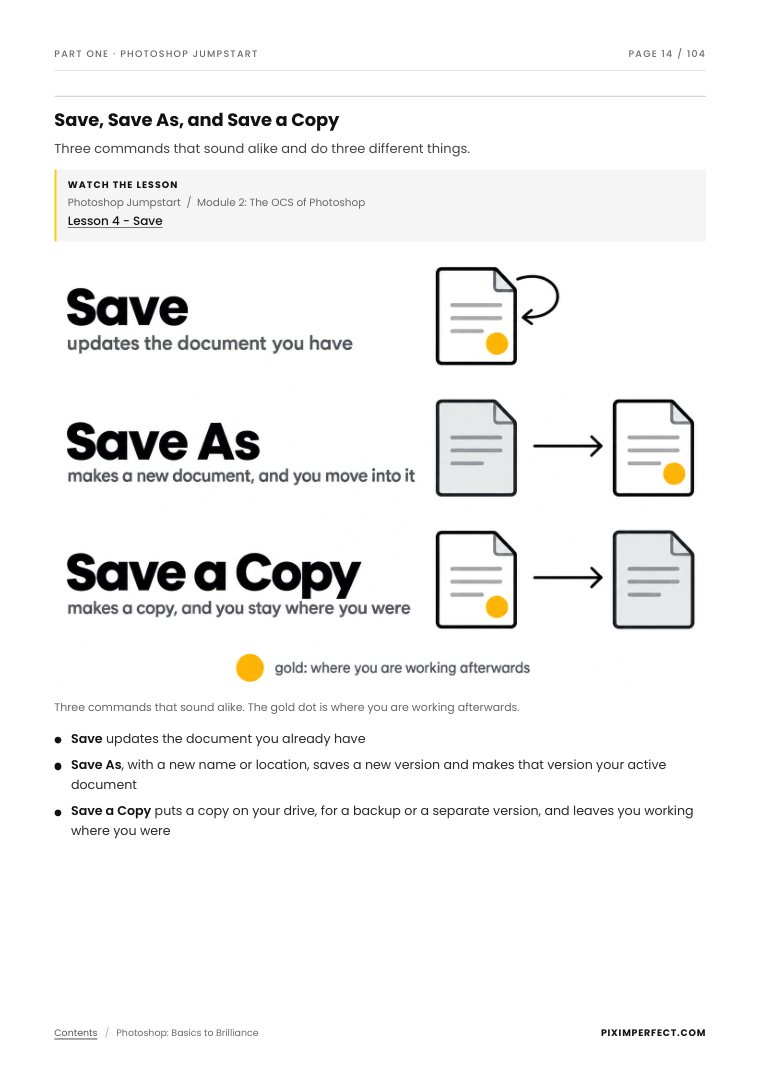
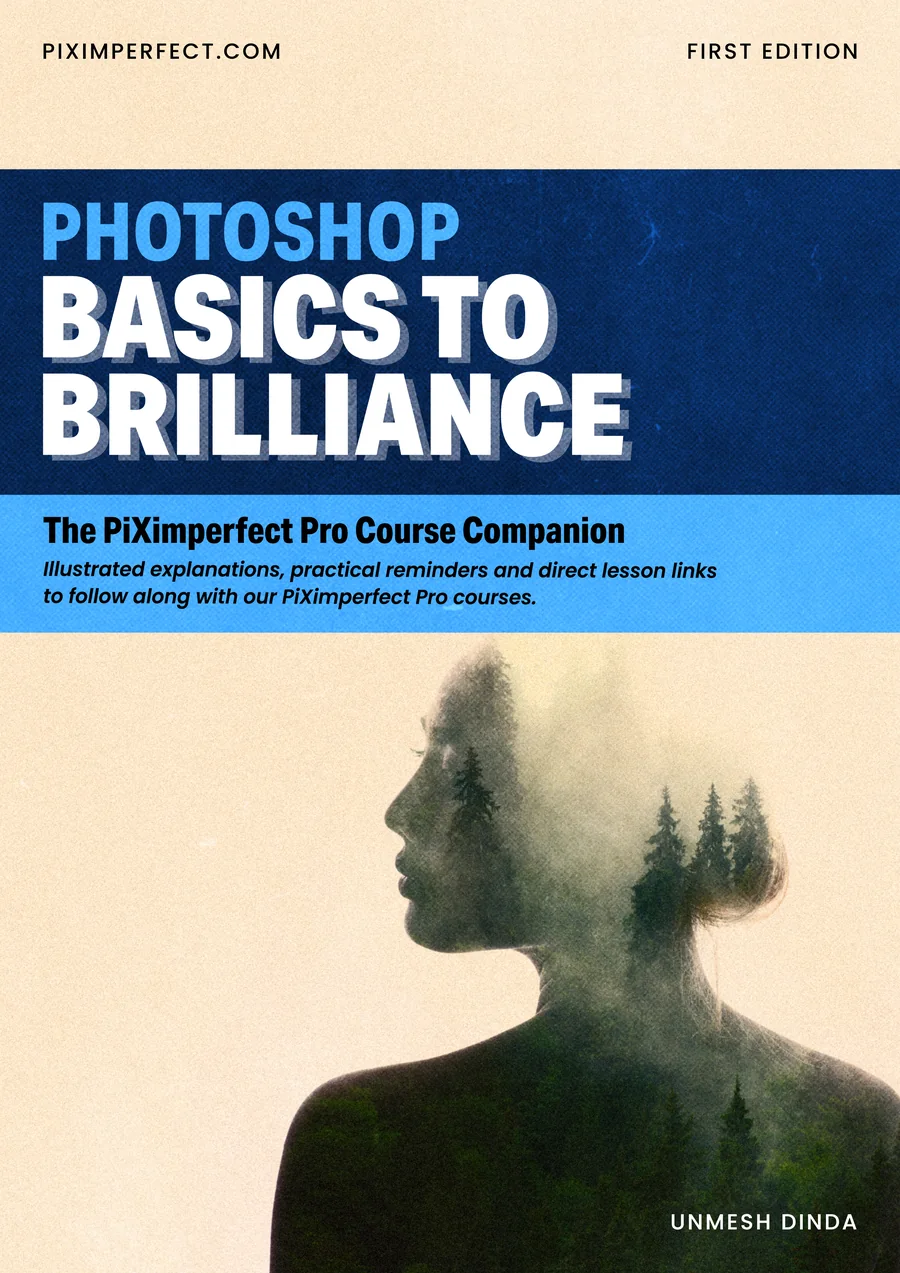
Photoshop: Basics to BrillianceThe PiXimperfect Pro Course Companion · by Unmesh Dinda · First Edition
Video is the best way to learn Photoshop, and a slow way to look something up. So here is the book that sits beside your lessons: 104 illustrated pages that follow the four core Pro courses, in the order you learn them.
- The key ideas, on paper. Layers, masks, Curves, frequency separation and more, with 33 teaching figures.
- Click a lesson box, the video opens. Direct links to 90+ Pro lessons.
- 110 shortcuts, Mac and Windows, grouped by the job you are doing.
- Made to stay open beside Photoshop. Watch, pause, check the page, practice.
$49 Free with LifetimeIncluded with every Lifetime membership, and it stays that way after the sale. Annual members can add it for $49.
A PDF companion to the Pro video courses. It follows the lessons and does not replace them.
Look inside
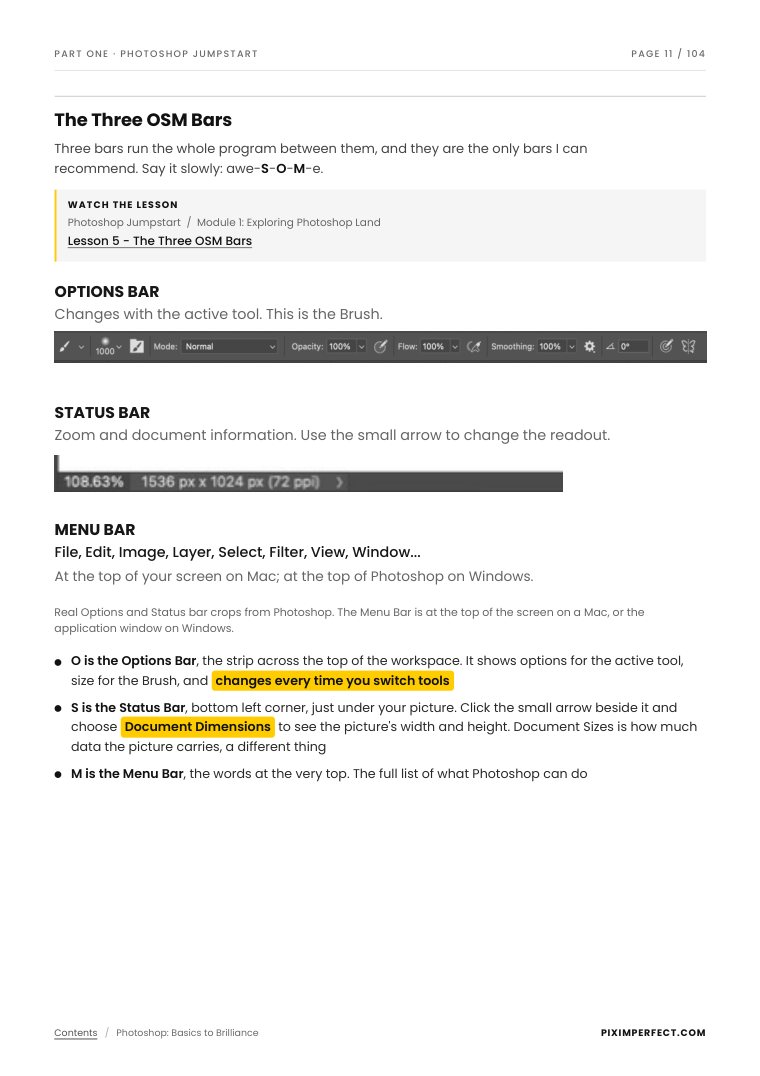
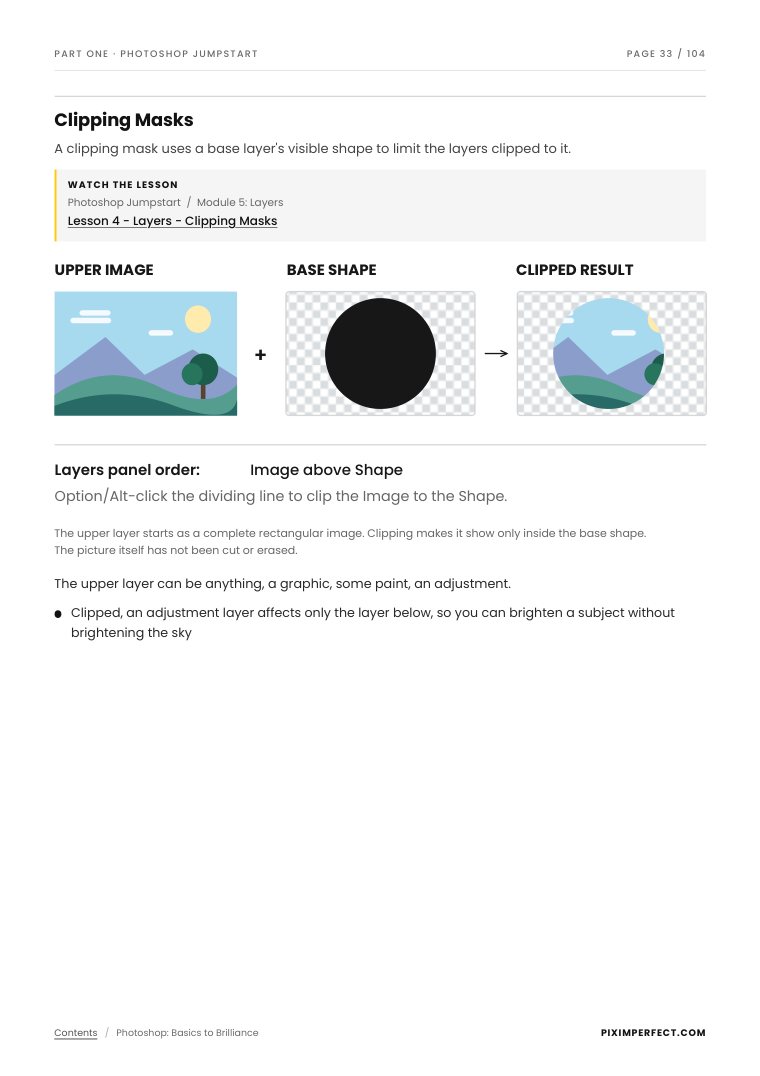
Click any page to read it
YOUR MONEY BACK GUARANTEE

Enjoy a 7-day money-back guarantee with the Annual Plan, and a full 14-day guarantee for the Lifetime Plan. If, for any reason, the course doesn’t meet your expectations, simply reach out to support within this period for a hassle-free refund. With us, you’re free to learn, explore, and make your decision—completely risk-free.
Plus, you can cancel your monthly or annual plans anytime right from your profile, no questions asked. However, we’re confident you’ll stay because we’re committed to providing an exceptional experience that speaks for itself.
Thursday, October 1. After that both plans go back to their regular price. The book stays with Lifetime either way.
Yes. Lifetime includes every future lesson and course, free, forever. Annual includes everything added while you are a member.
Take 14 days on Lifetime, 7 on Annual. Email [email protected] inside that window and you get every penny back.
Posted under the lessons
Comments from Pro members
You do this better than anyone I know and bring the classroom alive with creative possibilities. Onward sir! You are inspiring your classroom teachers!
Bob KillenPro Member since March 15, 2026
Unmesh, I just want to say that my impression is that you have created the clearest and most useful Photoshop course I have encountered in many years. And I have tried MANY of them! Thanks, and keep up the good work!
Marc LevinePro Member since Jan 7, 2025
You are a natural teacher, Unmesh, and your kind demeanor sets you apart from other instructors! I just treated myself to an early (very early!) Christmas gift and purchased a lifetime membership. I’m excited to keep learning and see how I can apply these new skills—thanks to you!
Katerina SochnevPro Member since Sept 26, 2024
I learned so much from course in so little time. You are excellent in explaining course material with much appreciated simplicity. You are a God-sent insructor to me!
Clifford SalmonPro Member since Apr 14, 2025
Hi Unmesh, I can't thank you enough for this course, it is brilliant. By following this course I can learn in a progressive manner instead of jumping around from tutorial to tutorial and not being completely sure where to go next. I have learned so much already. The course is very well structure and easy to follow. Thank you.
Rochelle CremerPro Member since Feb 02, 2025
This is just AWESOMEEEE!!! Thanks so for creating and sharing content this useful & practical!
Mauro SeguraPro Member since Sept 25, 2024
Read 7 more
Thanks a bunch, Unmesh! I’m learning so much from you. You are to Photoshop what Richard Feynman was to physics.
Timothy O'ConnorPro Member since Nov 28, 2024
Thanks, Unmesh, for the great course and all the helpful information you share! I’ve learned a lot and really appreciate your teaching style.
Tim SwaanPro Member since Nov 18, 2024
This is the most enlightening tutorial on composting I have ever seen - I have learned so much thank you 😊
Peter WoolleyPro Member since Oct 30, 2024
That was the best description and explanation of a smart object that I have heard. Bravo!
James RichardsPro Member since Dec 17, 2024
Having spent many hours with some great photoshop experts, I have found most of the curriculum becomes very complex with many layers and move very quickly leaving me stuck and either trying to dig out of a problem or just quit and move on.
This style you use taking baby steps, offering clarity with each explanation makes this course paramount to the others I have experienced.
One of your techniques that is used in successful teaching is repetition, if you are aware?
The most secure way to memorize information is not just repetition, but importantly the time intervals in which the information is repeated, starting out frequently and gradually increasing to longer spans, it is basically subliminal.
If it intentional or not you are using this technique and I am finally beginning to build a solid foundation!
Thank you Unmesh, this is going to be the springboard I need!
Jim JonesPro Member since Feb 07, 2025
Very usefull and straight to the point! Thank you for this course and all the knowledge you share.
Joachim HoubrechtsPro Member since Nov 19, 2024
I've finally grasped the concept and hopefully mastered using the Clone Stamp Tool! Thank you for the clear explanation.
Marcella VelegodoPro Member since Dec 2, 2024

Ten years of teaching. Half price, for ten days.
Every course, every future lesson, 300+ practice files and the new course companion. One payment of $399 and it is yours for life. If it is not for you, you have 14 days to get every penny back.
- Money-back guarantee
- Secure checkout by Stripe
- Instant access
About the anniversary sale
Good questions, straight answers
When does the sale end, and what happens after?
Anniversary pricing runs through Thursday, October 1, 2026. After that, Lifetime and Annual go back to their regular price.
Is Lifetime really one payment?
Yes. You pay $399 once. No renewals and no hidden fees. Every lesson and every course added later is included.
What is Photoshop: Basics to Brilliance, and how do I get it?
It is a 104-page illustrated PDF, the companion to four Pro courses: Photoshop Jumpstart, Adjustments and Color Grading, Retouching, and Compositing. It explains the key ideas on the page, lists the Mac and Windows shortcuts, and links each topic to its video lesson.
It is included free with Lifetime, and that does not change when the sale ends. It appears in your library next to your courses. Annual members can add it for $49.
I am already a Monthly or Annual member. Can I move to Lifetime at this price?
Yes. Buy Lifetime here using the same email address as your Pro account. Once it is active, cancel your current plan from your profile, or write to [email protected] and we will cancel it for you, so you are not billed again.
What if I change my mind?
Lifetime has a 14-day money-back guarantee. Annual has a 7-day guarantee on your first payment. Email [email protected] inside that window and you get every penny back.
About PiXimperfect Pro
How is PiXimperfect Pro different from your YouTube videos?
The difference between what you see on YouTube and the PiXimperfect Pro Plan lies in the structure, depth, and exclusivity of the content.
While my YouTube tutorials focus on specific techniques or challenges, the Pro Plan is a complete roadmap. It’s designed to guide you step by step, starting with the basics and gradually moving to advanced concepts, all while keeping things practical and easy to follow.
Here’s what makes it special:
Structured Learning Path: It’s a thoughtfully crafted curriculum, taking you from “Where do I even begin?” to confidently mastering Photoshop.
Exclusive Content: With over 100 lessons and 200+ projects only available to Pro members, you’ll go beyond just learning—you’ll truly understand and apply your skills.
Hands-On Practice: Real-world projects and challenges make the learning process interactive and rewarding.
Consistent Updates: New lessons and pro assets are added regularly to keep your skills fresh and relevant.
The Pro Plan is all about providing a supportive space to help you master Photoshop in a way that feels achievable and fulfilling—without having to piece things together on your own.
Do I need any prior experience with Photoshop to join?
No prior experience is required to join PiXimperfect Pro. Whether you’re completely new to Photoshop or looking to refine your skills, the platform is designed for all levels.
Our step-by-step learning track starts with the basics and builds up to advanced techniques, focusing on mastering concepts rather than memorizing steps. You’ll learn how to create your own workflows and use Photoshop as a tool to bring your creative vision to life.
With real-world examples, follow-along projects, and practice downloads, every lesson helps you understand not just how Photoshop works but why. And we make the learning process fun. Everything is designed to help you master Photoshop from start to finish, and beyond.
What kind of support can I expect if I have questions?
We offer support in multiple ways to ensure you’re never stuck:
Account or Technical Issues: For any account-related or technical problems—like trouble accessing videos, navigating the site, or other tech-related issues—you can reach out to our support team via email. We’re quick, responsive, and committed to resolving issues fast.
Photoshop or Lesson-Related Questions: Each lesson comes with a comment section where you can post your questions—whether it’s a concept you didn’t fully understand or something that’s not working when you try it. My team and I personally ensure every question is answered to your satisfaction.
Exclusive Community Access: If you need more personalized help, you can join the PiXimperfect Pro community. This optional add-on (available for annual and lifetime members) offers exclusive access to a supportive group of Photoshop enthusiasts led by experts. Here, you can share your work, ask for feedback, post questions, and get guidance every step of the way. For more details about joining the community, feel free to contact our support team.
How is PiXimperfect Pro different from the course you launched years ago?
PiXimperfect Pro is a completely new, independent platform that I personally own, manage, and continuously update. It’s designed to provide a structured, immersive learning experience, with over 100 exclusive lessons already available—and new ones added regularly—to keep your skills sharp and relevant.
Here’s what makes PiXimperfect Pro stand out:
Full Control and Updates: Unlike earlier courses created in collaboration with other platforms, I have complete control over PiXimperfect Pro. This means the lessons are always up to date, and I can continuously improve and expand the content based on your feedback.
Comprehensive Learning Path: The lessons cover everything from basics to advanced techniques, organized to help you progress step by step. You’ll work on follow-along examples and real-world projects that deepen your understanding.
Tailored for All Skill Levels: Whether you’re a beginner or an experienced user, PiXimperfect Pro is designed to meet you where you are, with regular updates and new lessons to match your learning needs.
Personalized Support: I directly oversee support to ensure your questions are answered promptly, and every member feels guided throughout their Photoshop journey.
It’s important to note that PiXimperfect Pro is the only official course from PiXimperfect. Earlier courses I created were collaborations with other companies, which I no longer own or manage. PiXimperfect Pro represents my full commitment to giving you the best Photoshop learning experience in a space that’s entirely dedicated to your growth and success.
Can I download the course materials for offline use?
Practice projects, sample images, and Photoshop assets like brushes and actions are available to download so you can follow along and practice offline. However, the lesson videos and core learning materials are not available for download and can only be streamed.
Streaming ensures you always have access to the latest updates, features, and improvements, offering a seamless and convenient experience. You can access lessons from any device, anywhere, at any time. This approach also helps us prevent piracy and keep the content secure for all members.
How often is the content updated?
We aim to add new content at least once a month, and often more frequently. Our goal is to keep the platform fresh, relevant, and valuable, ensuring you always have access to the latest techniques, tools, and ideas to master Photoshop.
Is there a community where I can connect with other learners?
Absolutely! PiXimperfect Pro offers an optional community for annual and lifetime members who choose to add this feature. This exclusive space connects you with like-minded Photoshop enthusiasts and provides opportunities to share your work, ask questions, and receive personalized guidance.
Every question, feedback request, or post receives a thoughtful and timely response. I personally ensure that all members feel supported and receive the help they need to progress on their Photoshop journey.
If you’re interested in joining, feel free to reach out to our support team at [email protected] for more details.
Is everything included in my membership?
With the Annual and Lifetime plans, yes. Your membership gives you full access to all courses, lessons, updates, and downloadable resources—there are no hidden fees. From 100+ lessons to new content every month and exclusive practice files, everything is included in your plan.
The Monthly plan includes the complete Foundational Photoshop course only.
The PiXimperfect Pro Community is an optional add-on, available at a discounted rate for Annual and Lifetime members. Whether or not you join the community, you can always ask questions on lessons and get your doubts addressed directly, or reach out to support for assistance—we’re here to help you every step of the way. The community, however, offers a unique space to connect with other learners, share your work, get feedback, and grow through collaborative discussions. It’s a fantastic way to enhance your learning experience, but the choice is completely yours.
HAVE QUESTIONS?
Contact Us
For any support:
[email protected]
Est. Response Time: 1-2 business days
For business inquiries:
[email protected]
Est. Response Time: 5-7 business days